TKT-218
Wire Cmd+Shift+K to copilot ask flow
Team-X is split into six surfaces: the org chart you build, the cockpit you watch the team operate from, the intelligence layer that keeps the company honest, the command palette you steer everything with, the autonomy plane that runs and audits unattended work, and the privacy posture that ties it all to your machine. This page walks each one, with real frames of the shipped build. Skip to download if you'd rather see it running.
Open the hire dialog with H, search the role catalog, click hire. The new agent lands in the org chart with their default reporting line. Drag them to a new manager. Promote them. Fire them. The chart is the source of truth: who reports to whom, who is allowed to assign work to whom, who can call all-hands. Multi-company workspace lets you run several AI orgs side by side, each with its own employees, goals, settings, and audit log.
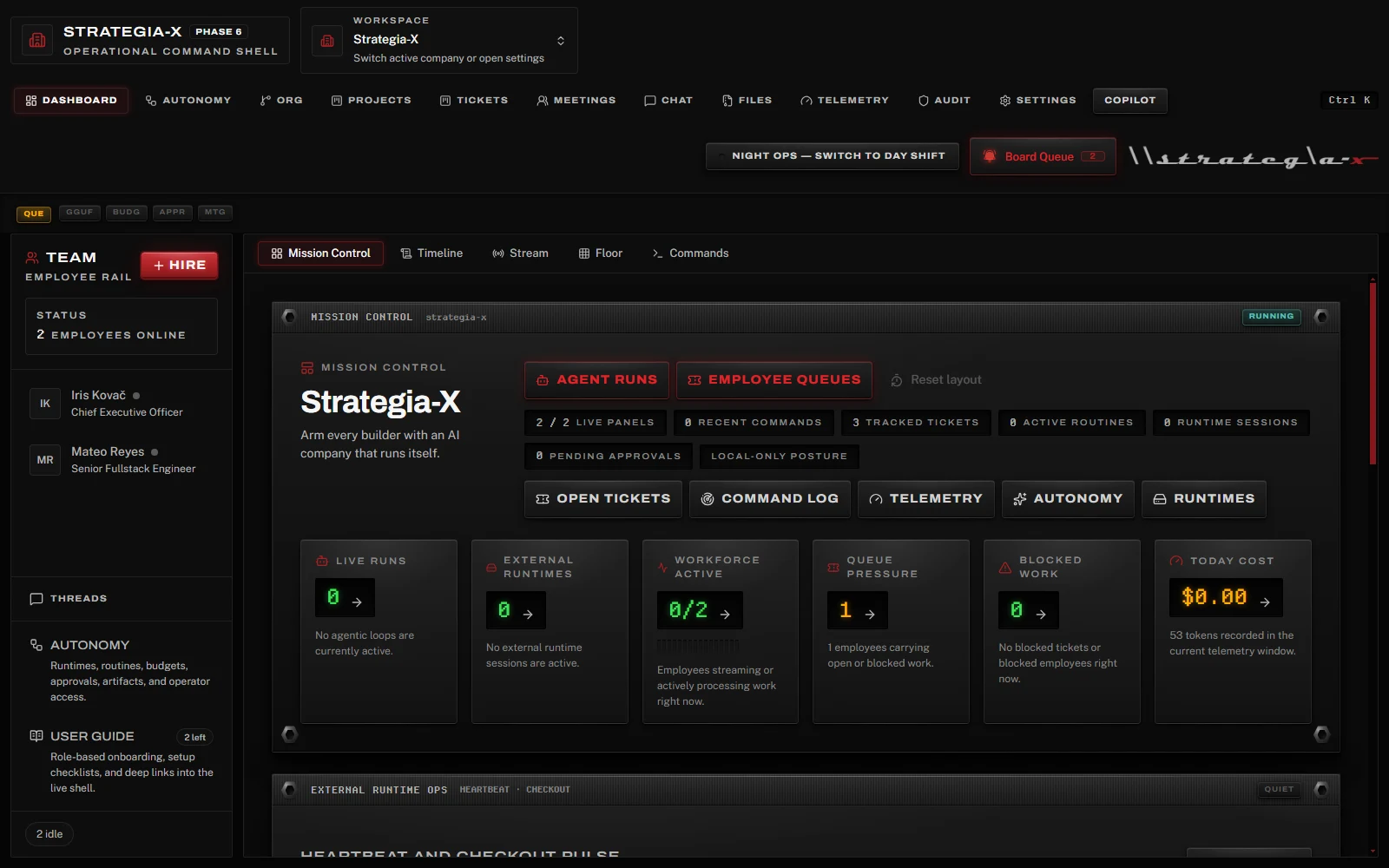
The cockpit is where you watch the company in motion. Five subviews, all reading from the same event bus:
Tickets file via T, get auto-assigned by the role-fit scorer, and slide through the 4-column kanban (Open / In Progress / Blocked / Done) as the orchestrator dispatches. Goals and projects sit above tickets with visual progress indicators. Schedule pulls everything onto a calendar with manual tasks, automatic ticket due dates, project targets, and assigned-agent wakeups in one view.
Token streams are not a debug surface. They are the surface. - Team-X README
Every agent turn is augmented with retrieved context from messages, vault files, and prior
decisions via the @team-x/intelligence package. SQLite-vec embeddings, token-aware
chunking with overlap, cosine-threshold gating, SHA256-deduplicated attribution blocks. The
agent doesn't have to remember; the runtime remembers for it.
The agentic loop runs ReAct-style with hard step (8), token (8,000), and wall-clock (120s) budgets, all configurable. Six read-only query tools (employees, tickets, projects, meetings, vault, events) for the read-side. Three write-side tools (decompose project, delegate subtask, review deliverable) gated behind an amber confirmation gate so no ticket is ever created without your nod.
On a 5-minute cadence (or earlier on event triggers like meeting.ended and
agentic budget exhaustion), the Copilot service asks what is wrong with this company right now,
and surfaces insights across operational, cost, org, workflow, and anomaly categories. Three
severity levels. Click an insight to act on it through the same destructive-action gate as the palette.
Hire, fire, promote, assign, create ticket, close ticket, reopen, project, goal, meeting,
status, navigation, vault search, plus a complex_request fallback that hands off
to the agentic loop. The palette is LLM-backed with JSON-output retry, fuzzy entity resolution,
FTS5 ticket lookup, and a destructive-action confirmation gate that you cannot click past
without reading.
Examples that work: hire a senior product designer reporting to Jen,
close TKT-218 with a comment thanking RV,
summarize what the CEO did this week,
which provider is costing me the most this month. The free-form ones route through the
agentic loop and stream the step log inline.
Agents run on whatever you configure: Ollama for fully local models, plus Anthropic, OpenAI, Google, Groq, OpenRouter, Together, and Fireworks, plus any OpenAI-compatible endpoint. Three privacy tiers (Local, Open-Source Cloud, Proprietary Cloud) gate which providers a given agent is allowed to touch, and the provider router enforces that ceiling at call time.
tools_allowed / tools_denied enforcement.This is the honest answer to "does it integrate with X." There is no first-party Slack or Jira bridge and no hosted API. There is MCP, there are Skills, and there is any OpenAI-compatible endpoint you point it at. What you wire is what it can do.
A native GGUF local-model runtime is in development; until its model-library UI ships, local models run through Ollama, which Team-X auto-detects on launch.
Employees produce real deliverables into a filesystem-backed vault: txt,
md, csv, json, html, docx,
xlsx, and pptx. Every file is integrity-verified by SHA256 and
full-text searchable via FTS5, and it can be attached to a ticket so the work and its artifact
live together.
.tx-pack template, preview it, and import it on another machine in a single transaction.None of this leaves your machine unless you move it. Backups are local archives, not a cloud sync. The export formats exist so your data is yours to take, never to lock in.
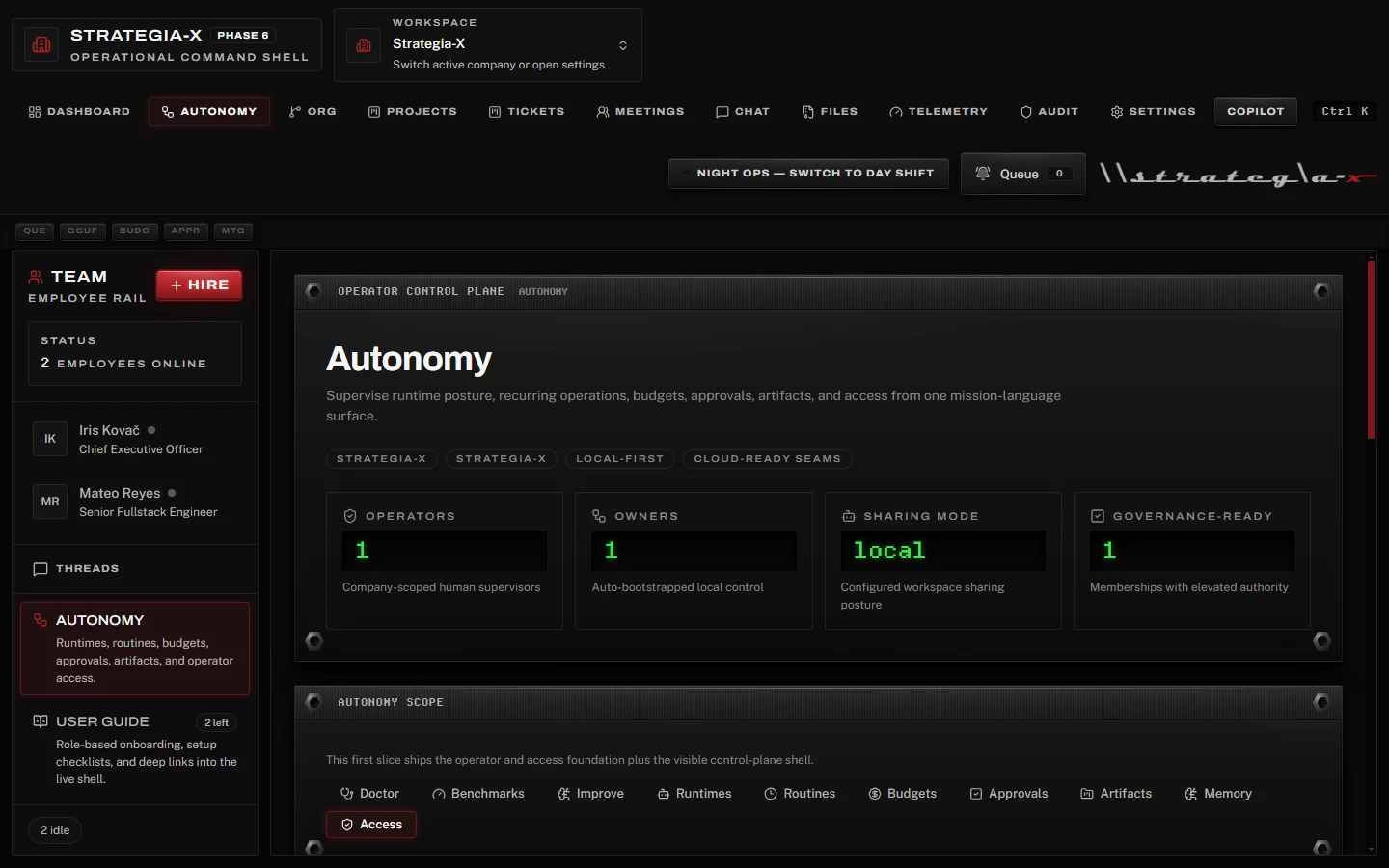
The Autonomy view is the operator control plane for work that runs without you: runtimes, recurring routines, budgets, approvals, artifacts, memory, and operator access, plus a doctor for health checks and benchmarks for model fitness. Every module sits behind the same rule: an agent can act on its own, but it cannot act off the record.
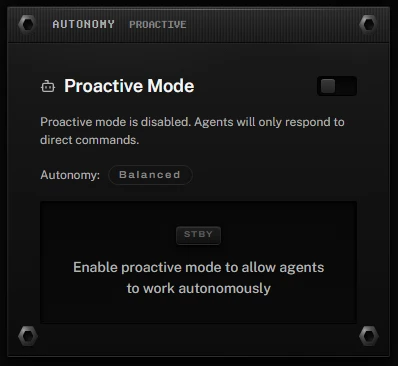
Proactive Mode ships in v3.4.0 as a dashboard control: a master enable toggle, the autonomy-level readout, live tiles for active and queued work with the last-scan time, and a scan-for-work-now action. Arm it and idle employees go find their next ticket instead of waiting for a command. Disarm it and agents respond to direct orders only.
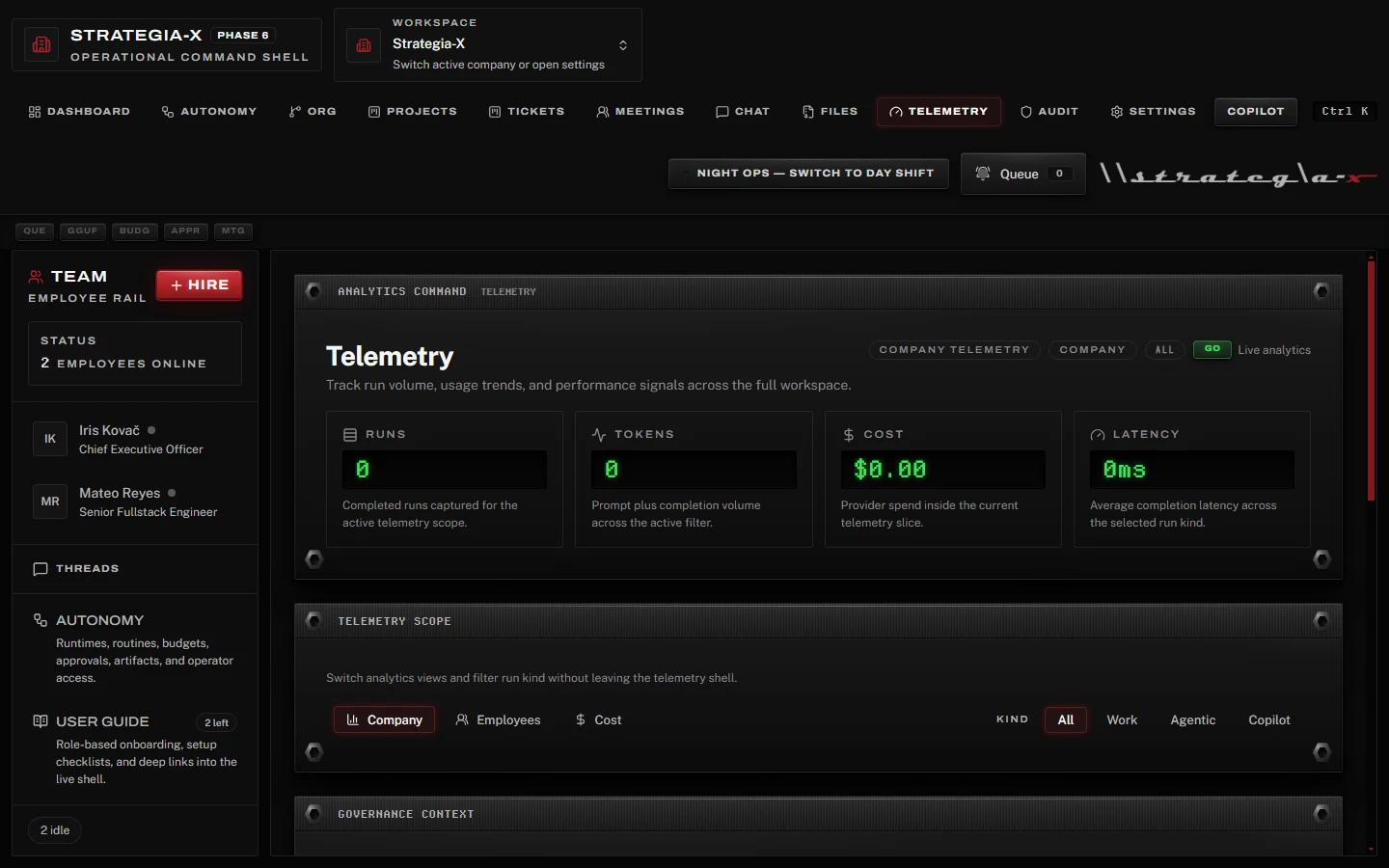
The receipts live one tab over. Telemetry tracks runs, tokens, cost, and latency across company, employee, and cost scopes. The audit log is append-only. The vault verifies every file by SHA256. When an agent worked at 3 AM, you can read exactly what it did and what it cost.
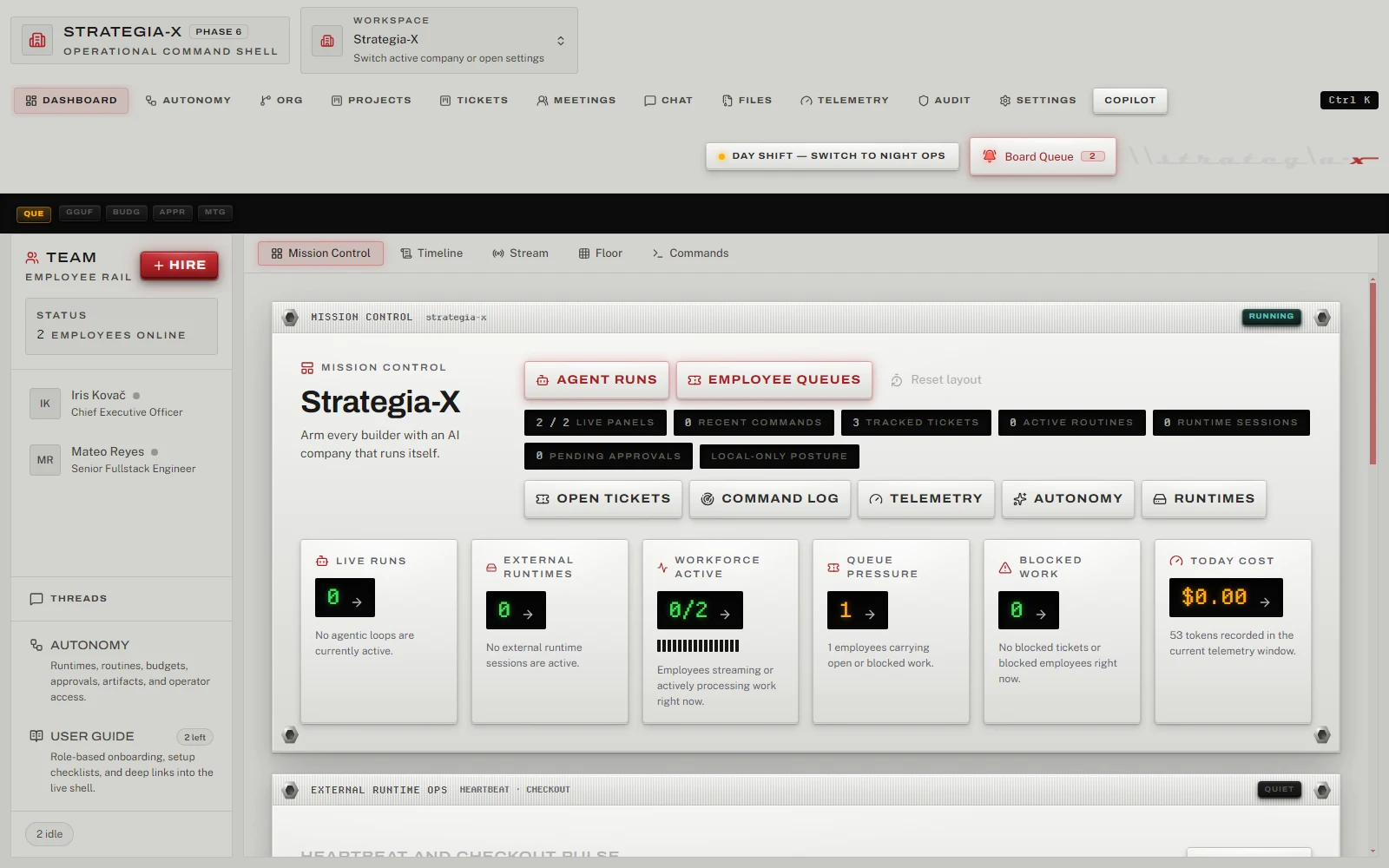
As of v3.4.0, every surface in the app composes from one Command Console design system: machined faceplates, recessed phosphor wells, stencil word-lamps, and data-bound meters. It ships in two shifts. Night Ops is brushed black. Day Shift is silver anodized. The displays stay void-black in both, the way real silver hardware keeps black LCDs, and contrast holds WCAG AA on every panel in either shift.
Local-first, MIT, no telemetry. Ship it on your machine and watch it run a company.